A desktop client for Twitch and Kick, built with Electron and React,
that behaves like a real Windows app instead of a browser in a box.
Followed channels from both, native playback, up to four streams at
once, search and browse, and chat with the emotes you actually use.
Built around how people actually watch: check who's live, open a
stream fast, and keep chat readable.
Twitch and Kick, together
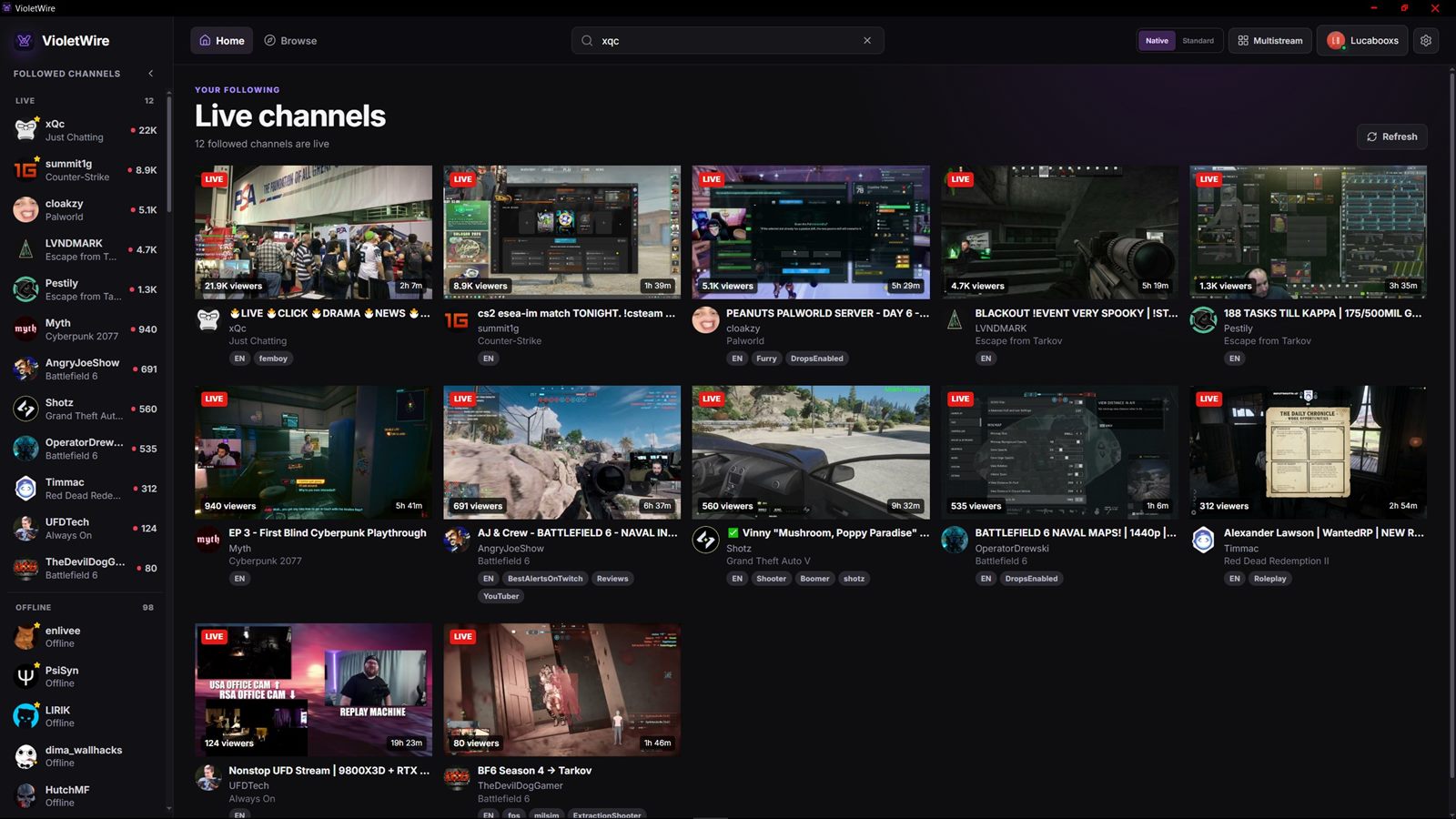
Follow channels on both services and see them in one sidebar,
filtered to Twitch, Kick, or both. Each split into live and
offline with thumbnails, categories, viewers, and uptime.
Right-click to favorite one and it pins to the top.
Sign in the proper way
Twitch's official Device Code flow, so you never type a password
into VioletWire, plus a separate Kick sign-in. Tokens are
encrypted with Windows DPAPI, and signing out removes them.
Public streams on either service work without an account at all.
Playback that stays out of the way
Quality selection, theater mode, fullscreen, keyboard controls,
and a volume level that's remembered between streams. Controls
fade out on their own, with a delay you can set.
Two player modes, plus multistream
Use Twitch's own player for maximum compatibility, or the
low-latency Native player built on Streamlink and hls.js, which
also plays Kick. Native mode runs up to four streams in one
grid — Twitch and Kick mixed — with audio on the tile you pick.
Chat that isn't an afterthought
Read and send on Twitch and Kick, with badges, colors, reply
threads, and moderation events. Click a name for a profile card,
get autocomplete for users and emotes, and pick a sound for
mentions.
7TV, FFZ, BetterTTV, and native emotes
Global and channel emotes in a searchable picker grouped by
provider, with favorites and an adjustable size — 7TV, FFZ,
BetterTTV, and Twitch emotes, plus Kick's own emotes and 7TV.
Hover any emote to see where it came from.
Local-first, no accounts of ours
There is no VioletWire server and no VioletWire user database.
Settings live in a file on your PC, and the app talks to Twitch,
Kick, and the emote providers directly — nothing is routed
through us.
About ads
VioletWire does not include an ad blocker and does not route
playback through a third-party proxy. Twitch stitches ads into
the stream itself, so expect to see them in both player modes.
Turbo and channel subscriptions are the supported way to avoid
them.
Screenshots
A look around
Pick a view below, or select the image to see it full size.
Followed live channelsEveryone you follow who’s live right now1 / 5
Download
Get VioletWire
A standard Windows installer. VioletWire is alpha software — things
work, but expect rough edges.
VioletWire for Windows
alpha
Windows 10 or 11, 64-bit. The installer bundles the Streamlink
runtime the Native player needs, so there's nothing else to set
up.
The alpha installer isn't code signed yet, so Windows may show an
unknown-publisher warning. Signing is planned before a wider
release.
Installed builds check GitHub for updates on launch and every six
hours, and ask before restarting.
Windows only for now. Linux support may come later, but it isn't
being worked on yet — the Native player leans on Windows-specific
graphics APIs.
Support
Chip in, if you want to
VioletWire is free and always will be. Support goes toward
development tools, code signing, hosting, and the other small costs
of keeping the project going. Entirely optional.
GitHub Sponsors
One-off or monthly, handled entirely through GitHub with no extra
account to make.
 VioletWire